Sooner or later, a growing company hears both names: someone says it needs an ERP, someone else says what it’s missing is a CRM. Sometimes it’s the same vendor in the same meeting. The problem is that hardly anyone stops to explain the difference between ERP and CRM and what each one actually does, so the company ends up choosing a word instead of fixing a process.
An illustrative example to make this concrete: picture a company that sells and installs equipment for other businesses. The same customer is recorded in three different places: in the sales spreadsheet, with the status of the quote; in the invoicing system, with their tax details; and in a notebook or an internal chat, with the follow-up on the installation. Nobody is lying, but nobody has the full picture. That is, more or less, the scene that makes someone think of the word ERP or the word CRM. It’s a hypothetical example, not a documented real case, but it helps frame the question: which part of that mess does each system solve?
What an ERP covers
An ERP (enterprise resource planning) brings together the functions that make a company’s operations and finances work from the same numbers. In practice, that usually includes purchasing, inventory, production if the company manufactures something, invoicing, costing and, often, the data for accounting. The underlying idea is simple: the inventory the warehouse sees should be the same inventory sales sees, the cost of a product should be calculated from real data rather than an old estimate, and invoicing shouldn’t depend on copying numbers from one place to another.
What an ERP doesn’t solve on its own is tracking the relationship with each customer before the sale: who was sent a proposal, what stage it’s at, who needs to call them this week. That part is normally CRM territory.
If the company has already identified that this is its problem (operations and finance processes that don’t talk to each other), it’s worth looking in more detail at what solving it with custom ERP software involves. To understand the full concept before thinking about choosing anything, it also helps to read what an ERP is.
What a CRM covers
A CRM (customer relationship management) brings together the functions that organize everything sales-related: sales opportunities, follow-up on each contact, proposal history, task reminders and, in many cases, support or after-sales service. If a salesperson leaves the company and walks out with the status of fifteen negotiations in their head, that is exactly what a CRM is designed to prevent.
What a CRM doesn’t solve on its own is the operational side: it doesn’t calculate production costs, doesn’t manage inventory, doesn’t produce a balance sheet. That set of functions, again, usually lives on the ERP side.
When the problem the company identifies is that sales follow-up depends on the memory of two or three people, it’s worth reviewing what a custom CRM solves. And to understand the concept before deciding anything, there’s what a CRM is.
ERP and CRM compared in a table
The quickest way to sort out the difference is to look at which question each one answers, not which product each one is:
| ERP | CRM | |
|---|---|---|
| Question it answers | How are we operating, and what does it cost us? | Where does each customer and each opportunity stand? |
| Who uses it every day | Administration, purchasing, warehouse, production, finance | Sales, customer service, after-sales |
| Problems it can help solve | Outdated inventory figures, unreliable costs, manual invoicing, data from different areas that doesn’t match | Opportunities lost for lack of follow-up, customer history that lives in one person’s head, proposals with no recorded response |
If what the company needs is to compare specific products within each category, that is covered in best ERP for SMBs and best CRM for SMBs: this article doesn’t repeat that comparison; it sticks to the difference in functions.
Where they overlap and what integrating them means
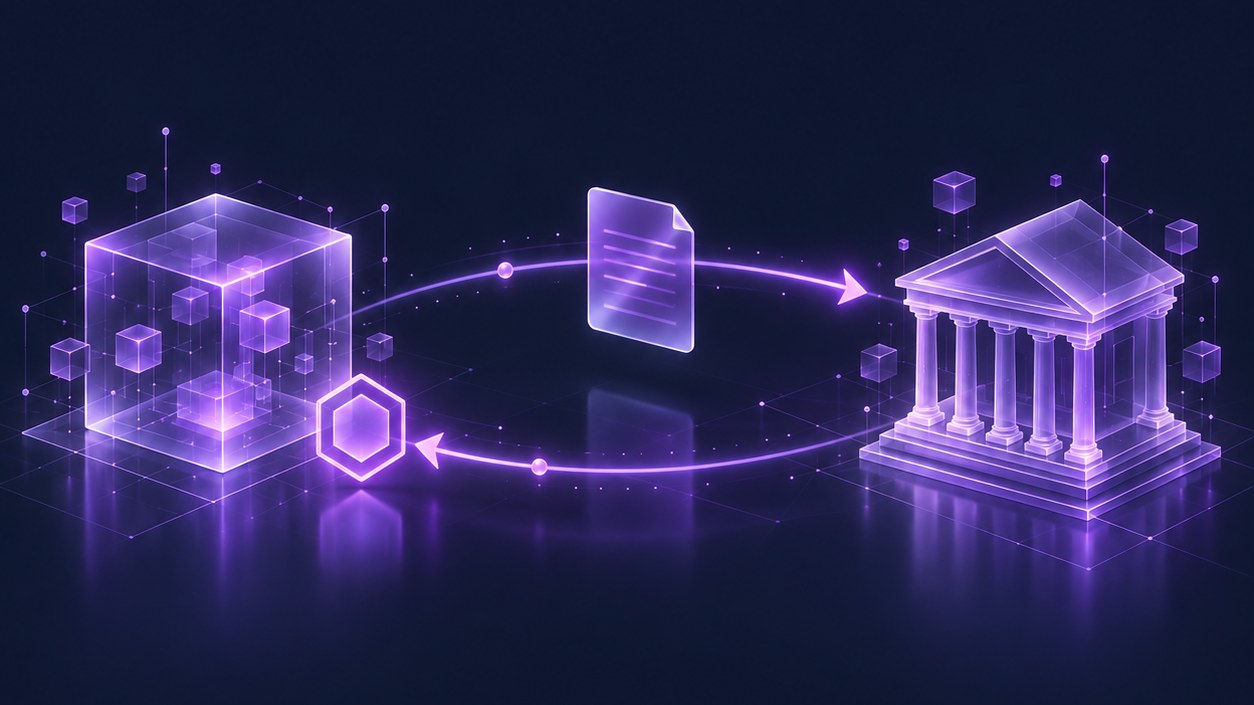
This is the most confusing point: ERP and CRM are not two sealed boxes that never touch. Both sides need a customer’s data: their legal name, purchase history, payment status. That’s why there are management platforms that already include a sales module, and CRMs that add some basic invoicing. The line between them isn’t a law of physics; it’s a decision about which functions each product bundles.
This has a practical consequence: a company’s problem isn’t always solved by buying a new system. Sometimes what’s missing isn’t more software, but getting the systems that already exist (a sales spreadsheet, an invoicing system, a half-used CRM) to talk to each other. Then the job isn’t “choosing an ERP or a CRM”; it’s integrating the systems the company already has so data doesn’t get overwritten or duplicated.
How to decide what comes first
When the company does need to move forward with something new, the question of what to solve first has no automatic answer (such as “if you have operational problems, buy an ERP”). It’s decided by looking at five things:
- Impact: which of the two problems is costing more money or more customers today. Losing internal time is not the same as losing sales for lack of follow-up.
- Urgency: what can’t wait until next quarter. If invoicing has errors that lead to problems with the tax authorities, that usually weighs more than a sales improvement.
- Dependencies: whether one of the two needs the other to work first. For example, automating after-sales follow-up is of little use if basic invoicing still has errors that must be fixed by hand.
- What already exists: which part of the problem can be solved by configuring, cleaning up or better integrating the tools the company already pays for, instead of adding a new one.
- Adoption capacity: how many people, how much time and how much support are available so the team actually uses what gets implemented. A system nobody ends up using solves nothing, however good it looks on paper.
If, after looking at these five points, both areas are equally weak, the sensible approach is usually to move in stages: start with the process the others depend on (often, the operational and invoicing base) and only then add the next stage, instead of opening two large projects in parallel.
Buying a tool before understanding the process
It’s common for a company to buy an ERP or CRM license after a convincing demo, without first mapping how its own process actually works. The typical result: the system is configured with the vendor’s generic logic, the team only half uses it because it doesn’t match the real way of working, and months later someone is still filling in a spreadsheet in parallel “just to be safe.”
Before choosing any tool, you should be clear on at least the following about your own process: what steps it follows today (even if on paper, in a spreadsheet or from memory), what data is repeated in more than one place, who needs to see which information and how often, and which exceptions are so common that a standard system should be able to handle them without becoming a patch. With that map, and only then, does it make sense to evaluate whether to configure what already exists, integrate the current systems or bring in something new: often it’s enough to organize or better connect the spreadsheets the company already uses, with no need to replace them right away. To assess at what point a spreadsheet starts to fall short and it’s time to take that step, it helps to read moving off Excel in your company: the problem is almost never the spreadsheet itself; it’s the process that still isn’t defined.
Choosing between an ERP and a CRM is, at heart, a technology architecture decision: which system is the source of each piece of data and how it is shared with the rest.
Book an assessment
Before choosing between ERP, CRM or both, it pays to look at the process that is actually stuck. The assessment reviews where the company stands today, which data is repeated across areas and which functions should be solved first, before investing in any system.